Skip to content

CapturePoint 6 by department

Your department's paperwork, already understood.

Take the 2-minute tour on sample documents, then point CapturePoint 6 at your department's own paperwork and watch it split the stack, sort it by type and read the fields, all on your own Windows PC.

Windows 10 and 11 (64-bit). The trial starts the first time you open it, with no form.

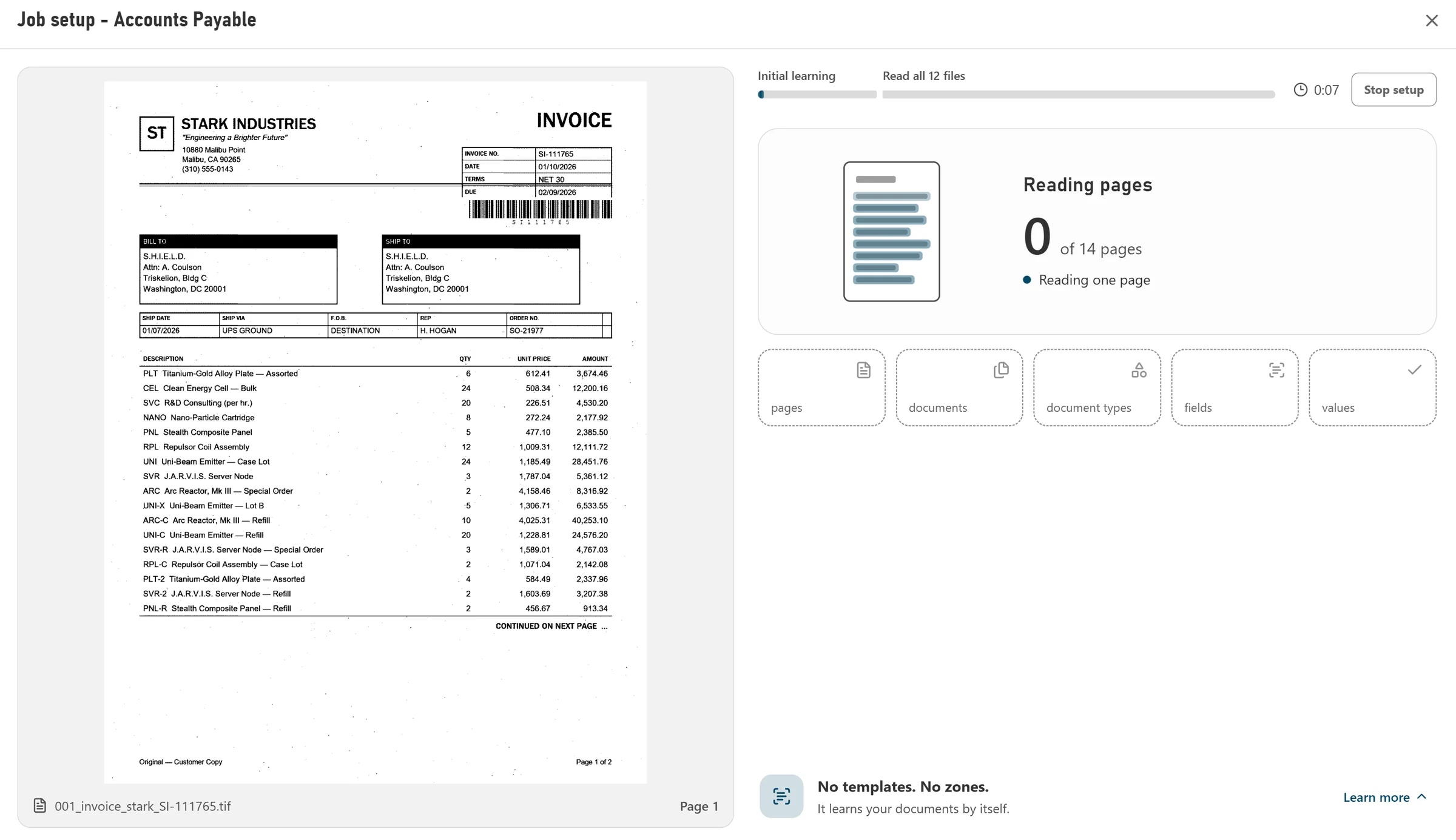
Job setup reading the first pages of an accounts payable folder: no templates, no zones
Point it at a folder of your own paperwork and it sets the job up. No templates, no zones.

01Same steps in every department

Try it on sample paperwork, then on your own.

Whatever the department, a CapturePoint 6 job does the same four things: split the stack into documents, recognize each type, read the fields and tables, and file the result. Only the paperwork changes.

  1. 01

    Take the 2-minute tour

    Start it from the welcome screen. It runs on five sample accounts payable documents, and you do the real steps in the real workspace.

  2. 02

    Build a job from your own folder

    Point it at a folder of your real documents. It finds the document types, fields and tables by itself, with no templates and no questionnaire.

  3. 03

    Review, confirm, export

    Anything below your review threshold waits, with the reason shown. Ctrl+Enter confirms a document, and every confirmation teaches the job.

Every confirmation teaches the job. Learning shows what it has been taught, document type by document type.

Reading and extraction happen locally on the PC, with or without a graphics card. That matters most in the departments below that handle patient, employee, borrower and student records.

Scan with any TWAIN scanner or import PDF, TIFF, JPEG, PNG, BMP and GIF files, so documents that arrive by email go through the same job as paper.

02By department

What a job sorts and reads, by department.

These are examples of the document types and fields a CapturePoint 6 job handles in each department. Your own job starts from your documents and can add, rename or drop any of them.

Example job

Accounts payable

Invoices, purchase orders and credit memos arrive in one pile, and someone keys every header and line into accounting.

Documents it sorts

  • Invoices
  • Purchase orders
  • Credit memos
  • W-9 forms
  • Expense reports

Fields it reads

  • Vendor
  • Invoice number
  • Invoice date
  • Due date
  • Purchase order
  • Subtotal
  • Tax
  • Total
  • Line items

Line-item math is checked: a row where quantity times unit price does not match the amount waits for review.
Example job

Freight and logistics

Proof of delivery and billing depend on paperwork that comes back from drivers in no particular order.

Documents it sorts

  • Bills of lading
  • Delivery receipts
  • Packing slips
  • Freight invoices
  • Carrier rate confirmations
  • Load manifests
  • Certificates of weight

Fields it reads

  • Bill of lading number
  • PRO number
  • Carrier
  • Ship date
  • Shipper
  • Consignee
  • Total weight
  • Total packages

Example job

Healthcare revenue cycle

Claims, remittances and authorizations arrive by mail and fax and have to land on the right patient account, fast.

Documents it sorts

  • Superbills and encounter forms
  • Health insurance claims
  • Explanations of benefits
  • Provider remittance advice
  • Prior authorization determinations
  • Referral authorizations
  • Insurance ID cards
  • Appeals

Fields it reads

  • Account number
  • Patient
  • Member ID
  • Payer
  • Billing provider NPI
  • Service date
  • Total charges
  • Payment amount

Reading happens on the PC, so patient documents are not uploaded anywhere to be recognized.

Example job

Human resources

Personnel files are a mix of offers, tax forms and reviews, and each page has to be filed to the right employee.

Documents it sorts

  • Job offers
  • Resumes
  • Withholding certificates
  • Employment eligibility verification
  • Benefits enrollment
  • Performance reviews
  • Timesheets

Fields it reads

  • Employee name
  • Employer
  • Position
  • Offered compensation
  • Filing status
  • First day of employment
  • Gross pay

Example job

Insurance policy and underwriting

Applications, declarations and certificates come in many formats from many carriers and producers.

Documents it sorts

  • Commercial insurance applications
  • Policy declarations
  • Certificates of liability insurance
  • Property loss notices
  • Property damage estimates
  • Sworn statements in proof of loss

Fields it reads

  • Policy number
  • Named insured
  • Insurer
  • Producer
  • Total premium
  • Loss date
  • Replacement cost
  • Deductible

Example job

Property and casualty claims

One claim file holds a dozen kinds of document, and every page has to carry the right claim and policy number.

Documents it sorts

  • First notices of loss
  • Field adjuster reports
  • Police crash reports
  • Repair estimates
  • Witness statements
  • Reservation of rights letters
  • Subrogation letters
  • Releases
  • Total loss valuations

Fields it reads

  • Claim number
  • Policy number
  • Insured
  • Date of loss
  • Cause of loss
  • Amount claimed
  • Insurer

Example job

Mortgage and lending

A loan package is one long scan that has to become separate, named documents before anyone can review it.

Documents it sorts

  • Loan applications
  • Loan estimates
  • Closing disclosures
  • Pay statements
  • Wage and tax statements
  • Bank account statements
  • Verifications of employment
  • Appraisal reports

Fields it reads

  • Loan number
  • Borrower
  • Lender
  • Interest rate
  • Cash to close
  • Gross pay
  • Net pay
  • Closing balance

Filing into Content Central? Its packets show which documents a loan file is still missing.

Example job

Student records

Admissions and registrar offices receive transcripts, applications and health forms that each belong in one student file.

Documents it sorts

  • Academic transcripts
  • High school transcripts
  • Admission applications
  • Immunization certificates
  • Enrollment verifications
  • Transfer credit evaluations
  • Financial aid award notices
  • Score reports

Fields it reads

  • Student name
  • Student ID
  • Program of study
  • Cumulative GPA
  • Term of entry
  • Degree awarded

Example job

Auto dealerships

Every deal jacket holds the same dozen forms, and the office has to index each one by deal and vehicle.

Documents it sorts

  • Buyer’s orders
  • Installment sale contracts
  • Credit applications
  • Title and registration applications
  • Odometer disclosure statements
  • Trade-in appraisals
  • Service contracts
  • “We owe” agreements

Fields it reads

  • Deal number
  • Stock number
  • Buyer
  • Vehicle identification number
  • Amount financed
  • Odometer reading

A job can also recognize a deal separator sheet carrying the deal number. See batch scanning and separation.

Example job

Utility billing

Electric and gas bills, statements and past-due notices need their account numbers and amounts captured and checked.

Documents it sorts

  • Utility statements
  • Electric and gas bills
  • Past-due notices
  • Credit memos

Fields it reads

  • Account number
  • Service address
  • Statement date
  • Due date
  • Closing balance
  • Total

Every department's mail arriving in one stack? See the digital mailroom: scan it once and each document is sorted and sent on.

03Where finished documents go

Filed where each department already works.

Each job has its own export. Folder and file names are built from the values it read, so a claim lands under its claim number and an employee file under the employee.

A folder, with automatic folder and file naming, as a searchable PDF (PDF/A optional), a data file with every captured value and a text file.

Content Central, matched to its catalogs, document types and fields, for search, workflows, approvals and retention, in the cloud or on your own servers.

Also send each PDF to SharePoint or OneDrive (Microsoft 365 work or school accounts), Google Drive, Dropbox or Nucleus One, with its values embedded in the PDF.

Details for each destination are on where CapturePoint 6 sends documents.

Questions by department

My department is not on the list. Will it work?

Very likely. These examples show what CapturePoint 6 does on familiar paperwork, but a real job is built from your own documents: point it at a folder of samples and it works out the document types, fields and tables by itself. It also suggests new document types and fields when it notices them.

Can I try it before I use my own documents?

Yes. Take the 2-minute tour from the welcome screen. It runs on five sample accounts payable documents (an invoice, a purchase order, a credit memo, a W-9 and an expense report), you do the real steps in the real workspace, and it ends in your own job.

Do I need separator sheets or templates?

No. CapturePoint 6 finds where each document starts and ends by itself, and it can also split at barcodes or at its own separator sheets if you prefer. There are no templates to draw: it learns from the documents and from every confirmation.

Where do the finished documents go?

To a folder with automatic folder and file naming (searchable PDF, optional PDF/A, a data file and a text file), or into Content Central. A job can also send each PDF to SharePoint or OneDrive (Microsoft 365 work or school accounts), Google Drive, Dropbox or Nucleus One.

Can one PC run several departments?

Yes. Each department gets its own job with its own document types, fields, review thresholds and export, and each job learns separately.

What does it cost?

CapturePoint 6 is priced per scanning station, with unlimited scanning. Tell us about your setup on the pricing page and we will send pricing that fits, or book a free live demo and we will walk you through it.

Try your department

Take the 2-minute tour, then point it at your own folder.

No sign-up and no credit card. The trial starts the first time you open CapturePoint 6.

Priced per scanning station, with unlimited scanning.

Free live demo

Bring your department's paperwork. We will run it live.

Book a free demo and we will show you around, answer your questions and run your real paperwork through it. No cost, no pressure.

  • A live tour of the products that fit your work
  • Your own documents, set up and shown working
  • Your workflow and process, mapped with you
  • Straight answers from people who build it
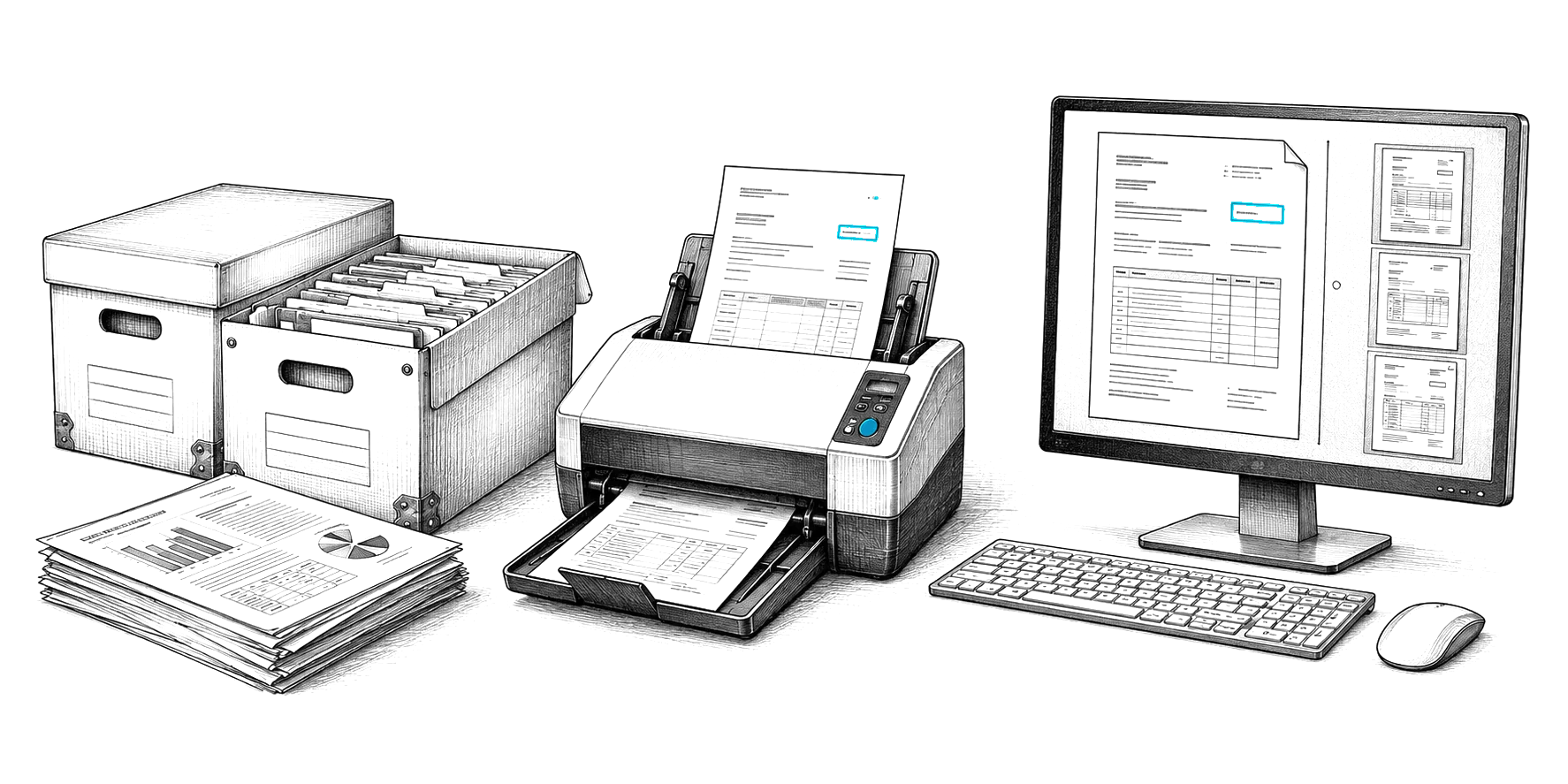
Engraved illustration: file boxes, a document scanner and a PC at a desk