Skip to content

Banks, credit unions, lenders, advisory firms

The examiner's list, answered from one place.

Loan files, signature cards, CIP records and client agreements, filed by loan and account number the day they are scanned, kept on the schedule your board approved, and found before anyone has to ask twice.

A pre-exam request list, answered from Content CentralFive typical exam requests. Four are answered from saved searches, the retention schedule and the audit trail. The loan file check shows two of thirty sampled loans missing a flood determination, found before the exam starts.PRE-EXAM REQUEST LISTDue before the exam starts01Loan files for 30 sampled loans2 of 30 missing a flood determination!02Signature cards, accounts openedOne saved search by open date03CIP records, new business accountsFiled with ownership certifications04Board-approved retention scheduleSchedule set per document type05Who viewed customer filesAudit trail: views, searches, reasons
An illustrative request list. The gap shows up on Monday, not on the examiner's Thursday.

Four desks. One set of customer records.

In a community bank or credit union, the same customer's paper passes through all of these hands. Each desk files it its own way, and that is where things go missing.

Loan operations

Loan processors, closers and the post-closing team

You chase the last pay stub, check the file against the lender checklist, and ship it to the investor or the vault. A file is done when every page is in it.

  • Loan applications
  • Loan Estimates and Closing Disclosures
  • Pay stubs, W-2s, VOEs
  • Appraisals
  • Flood determinations
  • Notes and deeds of trust

Deposit operations

New accounts reps and branch operations

Every account you open leaves paper behind: a signature card, ID copies, the account agreement, and for a business, the beneficial ownership certification. Someone always needs one of them later.

  • Signature cards
  • ID copies for CIP
  • Account agreements
  • Beneficial ownership certifications
  • Resolutions and authority forms
  • Statements

BSA and compliance

BSA officers, compliance officers, internal audit

You answer to examiners and auditors. You need customer identification records on request, and the most sensitive files seen by almost no one, with proof of who looked.

  • CIP and CDD records
  • SAR supporting documentation
  • CTR backup
  • Exam request lists
  • Board-approved policies
  • Vendor due diligence

Advisory and wealth

Operations associates and chief compliance officers

Client agreements, account applications and risk profiles arrive from every advisor in a different way. When the SEC exam letter comes, they all have to be in one place.

  • Advisory agreements
  • Account applications
  • Risk and suitability profiles
  • Form ADV delivery records
  • Transfer paperwork
  • Client correspondence

Where it breaks

The record exists. Nobody can find it this week.

The paper usually came in. It went into the wrong folder, under the wrong name, or onto the wrong retention clock.

  1. 01

    The sampled loan with no flood determination.

    Examiners pick thirty loans. Two files are missing the flood determination. The forms exist, saved under a borrower name in a processor’s scan folder, and nobody finds them until the third day of the exam.

  2. 02

    The signature card in a branch drawer.

    A member disputes a withdrawal on a joint account. The signature card is in a filing cabinet two branches away, and the teller line is waiting.

  3. 03

    The purge that took too much, or nothing at all.

    Closed-account CIP copies go out with the annual shred because the box was dated by year opened. Or ten years of statements stay forever because nobody is sure which ones can go.

  4. 04

    The agreement in one advisor’s inbox.

    A client signed an updated advisory agreement last spring. The only copy is an email attachment in the inbox of the advisor who left in August.

Content Central for lending

Every loan file knows what it is missing.

Set up a loan file once: the document types that belong in it, which ones are required, and the loan number they share. From then on, every document filed with that loan number joins the file by itself, whether it was scanned at a branch, emailed by the borrower or picked up from a shared mailbox.

Each file shows Complete or Incomplete, with the missing documents listed by name. A scheduled report lists every incomplete loan file, so post-closing works from a list instead of a hunch.

When the file is complete, route it as one item: to underwriting, or to a loan committee that approves by majority vote, with deadlines and reminders so nothing sits. Approvers can confirm with a PIN, and every decision is logged.

  • One file per loan, member or account, built from a shared number
  • Incomplete files reported on a schedule
  • Committee approvals with voting rules, deadlines and PINs
  • Any file merged into one PDF for an examiner or investor
One loan file, gathered by loan numberDocuments for loan 4471-208 arrive from a branch scanner, the borrower's email and a monitored mailbox. Each joins the loan file because it carries the loan number. Five required documents are found and two are still missing. A weekly report lists every incomplete loan file, a loan committee approves by majority vote, and each document type keeps its own retention schedule.LOAN FILE · KEY: LOAN NUMBER4471-208Incomplete · 2Every document with this number joins on its ownLoan ApplicationBranch scanLoan EstimateBranch scanPay Statements, W-2sBorrower emailVerification of EmploymentMailbox captureAppraisal ReportMailbox capture!Flood DeterminationNot yet received!Closing DisclosureNot yet receivedEVERY MONDAYIncomplete loan files report, by officerWHEN COMPLETELoan committee approves by majority voteAFTER CLOSINGEach document type on its own retention
Content Central packets: required document types, one shared loan number, and a live list of what is still missing.

The rules behind the records

What the rules ask of your files, and how the files keep up.

Your compliance team and counsel set the schedule. Content Central keeps to it, and records who changed it.

Gramm-Leach-Bliley Act (GLBA)

Protect customers’ nonpublic personal information and limit who can see it.

AdemeroPermissions by document type and even by field value, so each branch sees its own customers. Users can be required to state a reason before opening a file. Active Directory, SAML sign-on and MFA.

Bank Secrecy Act: CIP, CDD and SAR records

Keep customer identifying information for five years after an account closes, and SAR supporting documentation for five years from filing.

AdemeroA retention schedule per document type, plus per-document overrides for records whose clock starts at closing. SAR files limited to the few people who need them.

Regulation B (ECOA)

Keep credit applications and related records for 25 months after notice of action taken on consumer credit, with shorter periods for some business credit.

AdemeroLoan applications and adverse action notices filed by loan number, each on its own schedule.

Regulation Z (TRID)

Keep the Closing Disclosure for five years after consummation, and evidence of Loan Estimate compliance for three.

AdemeroCapturePoint 6 recognizes Loan Estimates and Closing Disclosures at the scanner; Content Central keeps each on its own schedule.

NCUA Part 749 (credit unions)

Run a records preservation program, with vital records you can get back after a disaster.

AdemeroOne searchable library, in the cloud or on your own servers, and a full export of every document and its index data whenever you want it.

SEC Rule 204-2, FINRA Rule 4511

Advisers and broker-dealers keep books and records for set periods and produce them promptly.

AdemeroRetention by record type, version history on every document, and an audit trail of every view, change and search.

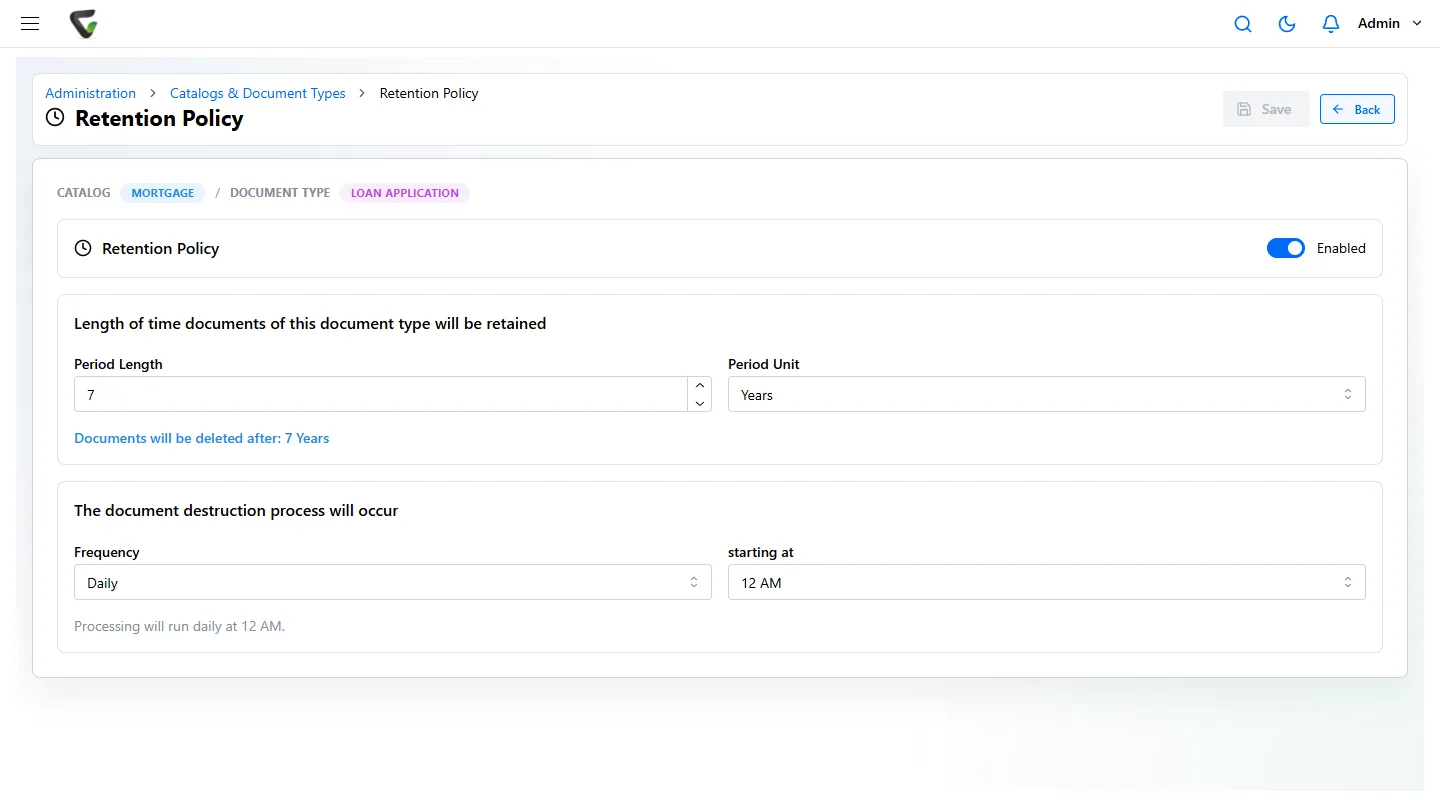
A schedule per document type.

Each document type carries its own retention period and a destruction run on the day and time you choose. A Retention Policies page shows what is due to go, and any document can be held past its date.

How retention policies work
Content Central retention policy for the Loan Application document type in a Mortgage catalog, set to seven years with a daily destruction run
Content Central, sample data: a retention policy on loan applications. Your period comes from your own schedule.

CapturePoint 6 at the branch

Drop the whole loan package in the scanner.

CapturePoint 6 splits the stack into documents, works out what each one is, reads the numbers and names that matter and names every file. Point it at a folder of your own loan applications, Loan Estimates, Closing Disclosures, pay stubs and W-2s and it sets up the job from them. Its AI runs on the branch PC, so nothing leaves the building to be read.

Every document anyone confirms teaches it, and after steady use most packages need no review at all. Finished files go to Content Central with their data, or to folders, SharePoint or OneDrive.

No sign-up. Download it and start using it today.

What it reads on a loan package

Loan Application
Loan number, borrower name, lender
Loan Estimate
Lender, borrower, loan ID, interest rate, estimated closing costs, estimated cash to close
Closing Disclosure
Lender, borrower, loan ID, cash to close, interest rate
Pay Statement
Employee, employer, pay date, gross pay, net pay
W-2 (Wage and Tax Statement)
Employee, employer, tax year, wages, federal income tax withheld
Verification of Employment
Employer, requesting organization
Account Statement
Statement issuer, account holder, closing balance
Appraisal Report
Parcel number, client

A worked example

Exam week at a community bank, with Ademero.

  1. Monday

    The request list arrives.

    Loan operations types each sampled loan number into Packet Search. Twenty-eight files show Complete. Two show Incomplete, with the flood determination listed as missing.

  2. Tuesday

    The gaps close before anyone asks.

    The two flood forms are scanned at the branch. They carry the loan number, so they join their files on their own and both packets turn Complete.

  3. Wednesday

    Signature cards, in one search.

    Deposit operations runs a saved search for accounts opened since the last exam and exports the result list to Excel for the examiner’s sample.

  4. Thursday

    CIP records, with a record of the request.

    The BSA officer opens the customer identification files. Each opening asks for a reason, and the reason is kept in the file’s history.

  5. Friday

    One PDF per loan file.

    For the follow-up request, each sampled loan file is merged into a single PDF, in document order, ready to hand over.

Before your demo

Can our customer files stay on our own servers?

Yes, if you choose. Content Central runs in the cloud or on your own Windows servers, your choice. Either way your staff use it in a web browser. CapturePoint 6 reads every page on the PC next to the scanner, so loan files are never sent anywhere to be read.

Can it work with our core or loan origination system?

Content Central can look up values from any ODBC database, for example to fill in the borrower name when someone enters a loan number, and it has API connections for document delivery and lookup. Tell us which systems you run and we will show what fits in your demo.

How do we put records on a legal hold?

Set the documents to Retain Indefinitely. That overrides their retention schedule until you remove it, and Content Central records who made the change.

Our branches each scan their own paper. Does that still end up in one place?

Yes. Each branch scans with CapturePoint 6 or straight from the browser, and every document is filed into the same library by loan or account number. Permissions by field value can keep each branch to its own customers.

What about our own accounts payable: vendor invoices and W-9s?

The same tools cover the back office. CapturePoint 6 reads vendor, dates, totals and every line item and flags a line whose quantity times unit price does not match its amount; it reads name, business name, tax classification and TIN from W-9s. Content Central then routes invoices for approval and exports approved bills to QuickBooks, Sage 50, Sage X3, Workday or Epicor.

Ademero has built document software since 2002 for more than 1,000 organizations. Fortune 500 companies and government agencies put it through their own security reviews every year.

Free live demo

Bring a real loan file. We will show it complete, retained and found.

Book a free demo and we will show you around, answer your questions and run your real paperwork through it. No cost, no pressure.

  • A live tour of the products that fit your work
  • Your own documents, set up and shown working
  • Your workflow and process, mapped with you
  • Straight answers from people who build it
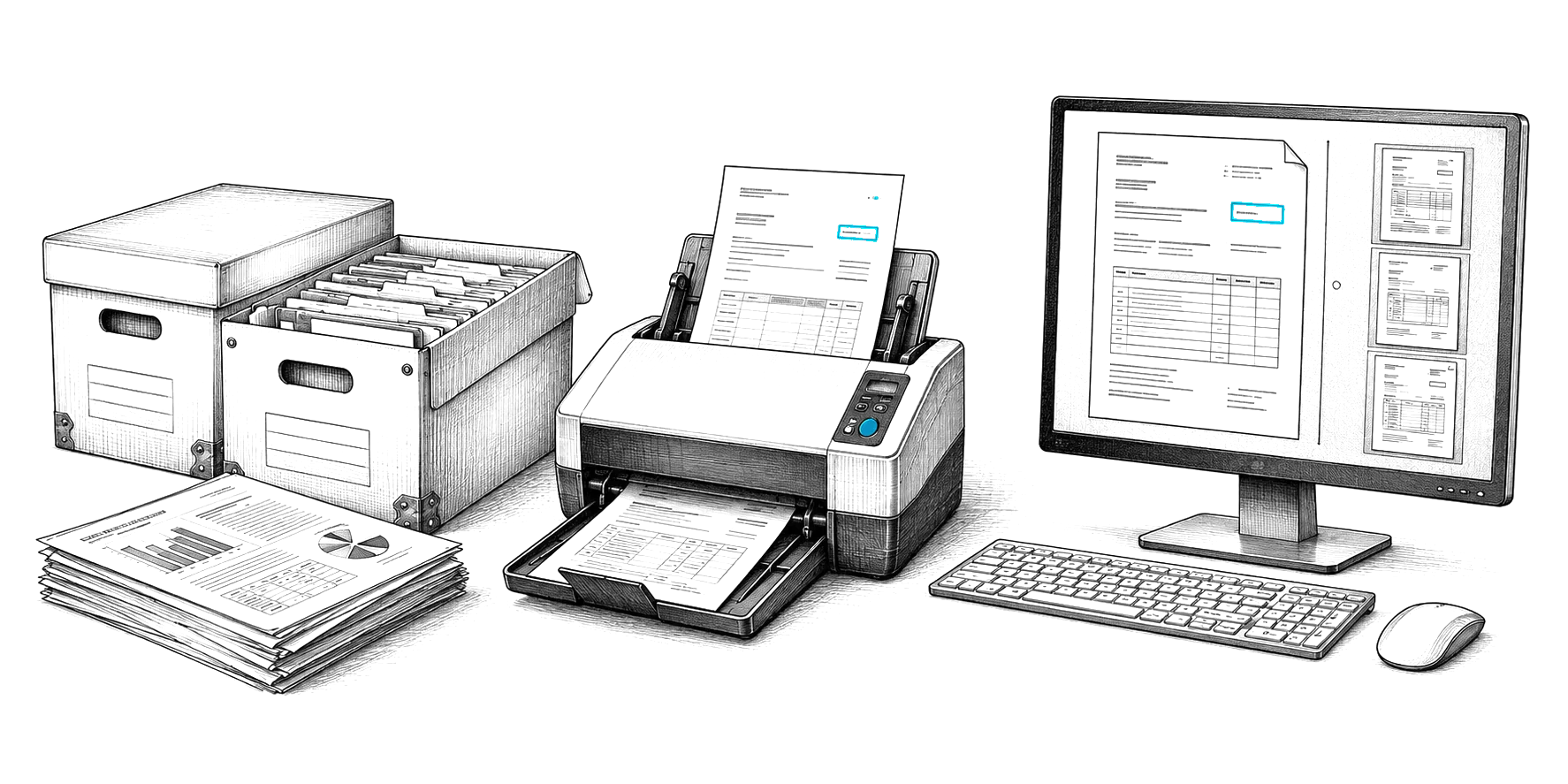
Engraved illustration: file boxes, a document scanner and a PC at a desk