Registrars, admissions and school offices
One student ID. Every record. Only the right eyes.
Transcripts, applications, immunization records and aid notices scanned once, read for the student ID and filed together, with a record of everyone who opened them. Built for FERPA.
CapturePoint 6: 2-minute tour included. No sign-up.
Which window do you work behind?
Every office keeps part of the same student. Here is the paper each one handles, and the question it hears most.
Registrar
Transcripts, enrollment verification certificates, degree progress audits, transfer credit evaluations, grade changes and records requests.
Colleges and universities“Can my transcript go to the graduate school today?”
Admissions
Applications, secondary school transcripts, official score reports and recommendation letters, arriving by mail, email and upload all season.
Colleges and universities“Is my file complete?”
Financial aid and residency
Award notices, verification documents and affidavits of domicile for in-state tuition classification.
Front office scanning“Why is my aid on hold?”
K-12 front office
Enrollment packets, cumulative folders, immunization certificates and records requests from the next school a student moves to.
K-12 schools and districts“The new school needs her records by Friday.”
HR and the business office
Staff files, teaching certificates, I-9s, purchase orders and invoices.
HR document management“Whose certification expires before fall?”
CapturePoint 6 · Student records
Show it your stack. It learns a transcript from an affidavit.
Take the 2-minute tour from the welcome screen, then point CapturePoint 6 at a folder of your own admissions and registrar paperwork and it sets up the job from it. Scan a mixed stack and watch it split the pages into documents, sort them and read the student ID off each one.
It learns from every correction, and after steady use most documents go straight through. The reading happens on the PC beside your scanner, so student records stay on campus.
Send the finished files to Content Central, to SharePoint or OneDrive on your school Microsoft 365 account, to Google Drive, Dropbox or a folder, each file named from what was read.
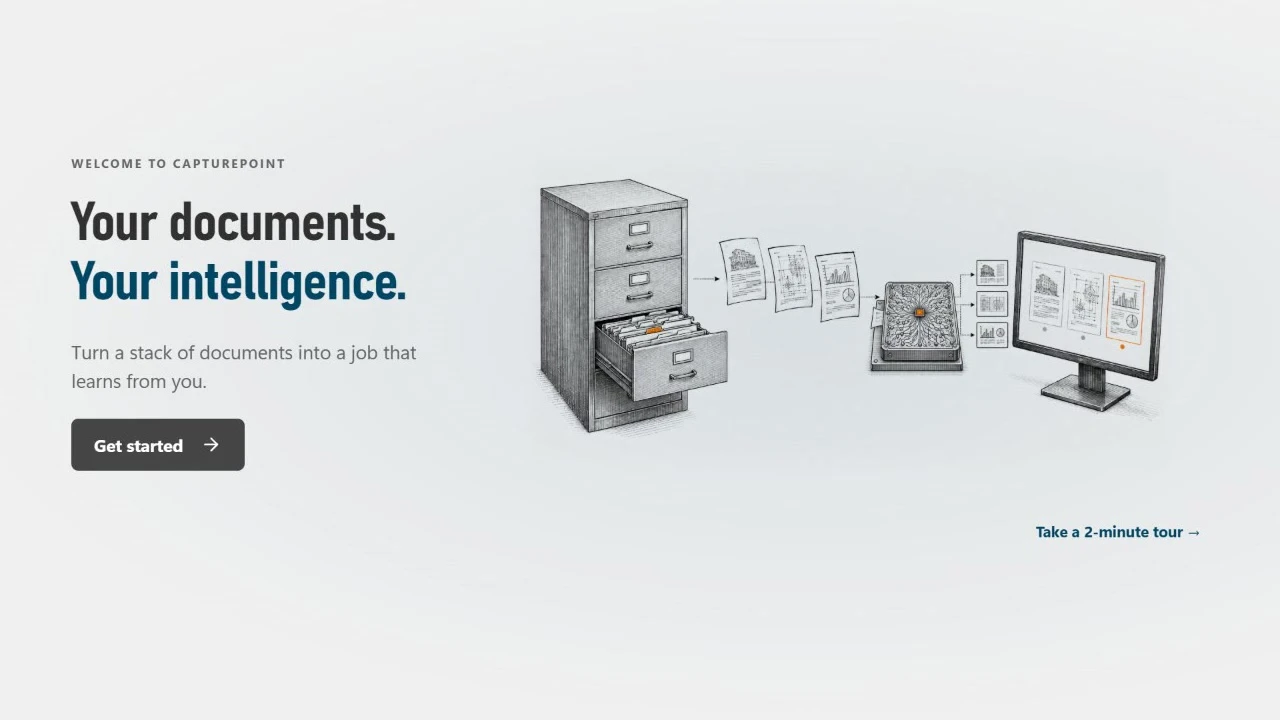
The CapturePoint 6 welcome: Get started, or take a 2-minute tour.
Student records it can learn
and the fields to readOfficial Academic Transcript
Student name, student ID, program of study, degree awarded, cumulative GPA, issuing institution
Application for Undergraduate Admission
Application number, student ID, date of application, term of entry, applicant type
Official Secondary School Transcript
Student name, student ID, issuing institution, award date, issue date
Official Score Report
Test taker, registration number, exam, test date, composite score, score recipient
Certificate of Immunization
Person, student ID, date of birth, record number, recorded status
Enrollment Verification Certificate
Certificate number, student name, student ID, program, current term
Degree Progress Audit
Student, student ID, catalog year, major, audit date, audit status
Transfer Credit Evaluation
Evaluation number, student name, student ID, source institution, receiving program
Affidavit of Domicile
Student, student ID, classification term, classification requested, notary
Financial Aid Award Notice
Student name, student ID, award year, notice number, total estimated cost of attendance
Three ways in. One student file. Each office sees its part.
In Content Central, every document that carries the same student ID joins that student's file on its own, however it arrived. You decide which document types count as required, and the file says what is missing. Nobody drags documents into folders.
One search, one student, every office's paperwork.
Search by student ID and the transcript request, privacy request, waiver and fee adjustment all come back together. Export the list, or open any document with its fields beside it.
How student files (packets) workDecades of folders in the basement?
Scan each old student folder behind one barcode separator sheet in Content Central and type the student ID once; every document in the stack carries it and joins the same file as this year's records, searchable to the word.
A day with Ademero
A Tuesday in August, in the admissions office.
- 7:45
The morning mail becomes filed records.
A student worker scans the overnight stack of transcripts and score reports in one pass. CapturePoint 6 splits it into documents, tells a secondary school transcript from a score report, reads each student ID and sends them to Content Central.
- 8:30
Emailed transcripts land too.
A counselor emails a transcript to the admissions mailbox. Content Central picks it up; if the student ID is not on it, it waits in the Coding Queue until someone types it once.
- 10:15
Every file shows what it still needs.
Open any applicant and the Packet tab shows Complete, or Incomplete with the missing documents named. For this student, only the immunization certificate.
- 13:00
Nobody builds the missing list by hand.
After the document deadline, a scheduled rule picks up every file still incomplete and emails the admissions team about each one.
- 15:30
Residency goes to residency.
A signed affidavit of domicile routes to the residency officer for approval, with a deadline and a reminder if it waits.
- 16:40
The last document arrives. Review starts on its own.
The immunization certificate comes in, the file turns Complete, and the whole file goes to the admissions committee as one approval.
FERPA, in plain words
What the law asks of a student record, and where Content Central helps.
The Family Educational Rights and Privacy Act covers schools that receive U.S. Department of Education funds. Your policies and your people carry it out; the software should make those policies easy to follow and easy to show.
The right to see the record
Parents, and students once they turn 18 or enroll in college, can inspect their education records. You have up to 45 days to let them.
Search one student ID and every document in the file is in front of you, from every office that keeps one.
Consent before sharing
Schools generally need written consent before sharing a record, apart from exceptions the law lists, such as school officials with a legitimate educational interest.
Permissions by document type and by field value, so an advisor sees only their own students and financial aid sees only aid documents.
A record of disclosures
For most requests and disclosures outside the school, you keep a record of who asked and who received the information, with the student’s records.
The audit log records every view, download and email with its recipients. Require Reason for Access asks staff why they opened a file and keeps the answer.
How long you keep it
FERPA does not set retention. K-12 records follow your state schedule; colleges set their own policy, often from AACRAO guidance.
A retention period on each document type, with a hold that keeps any file past its date when you need it.
Content Central runs in the cloud or on your own servers, with Active Directory or SAML single sign-on and authenticator codes. Government agencies and Fortune 500 companies review Ademero's security every year.
Go deeper for your school.
Try it today
Scan a stack of student paperwork this afternoon.
Download CapturePoint 6, take the 2-minute tour from the welcome screen, then run your own transcripts through it. The free trial starts when you open it. No sign-up.
See the whole office
Bring a student file. We will build it live.
A free demo of Content Central with your own forms: student files, permissions by office and the audit log your registrar will want.