SOX control evidence: what auditors pull, and how to have it ready
Most SOX pain is not the controls themselves. It is producing the evidence that each one ran: the right document, the right approver, the right date, for every sample. Here is one control tested end to end.
Ademero Team6 min read

The Sarbanes-Oxley Act applies to companies with securities registered with the SEC. For a controller or an internal audit lead, SOX is mostly a document question: when the external auditor picks 25 transactions, can you produce, for each one, the document, the approval and the proof that the approval came first? This guide works through one control as an auditor tests it, then covers what the main sections of the law mean for your files.
The three sections that touch your documents
| Section | What it says | What it means for your files |
|---|---|---|
| 302 | The CEO and CFO certify each quarterly and annual report, including that disclosure controls work | Sub-certifications and close checklists signed by the people below them, kept with the period |
| 404 | Management assesses internal control over financial reporting each year; for larger filers the auditor attests to it | Evidence that each key control ran, for every sample the auditor selects |
| 802 | Destroying, altering or falsifying records to obstruct an investigation is a crime; audit firms keep their workpapers for seven years | No deletions or edits that cannot be explained, and a way to stop disposal when a matter is open |
SOX does not give one retention period for all of a company’s own financial records. The seven-year rule in Section 802 and the SEC’s rule apply to the audit firm’s records. Many companies choose seven years for the documents that support their financial statements as a matter of policy; set yours with counsel and write it down per document type.
One control, tested the way an auditor tests it
Take a typical accounts payable control, written in a control matrix like this (the amount is an example):
AP-04. Invoices of $25,000 or more are approved by the controller before payment. Approval is recorded in the AP system with the approver’s name and date.
The auditor asks for every invoice over $25,000 paid in the year, picks a sample, and for each one wants:
- The invoice itself, as received, with the vendor, number, date and amount readable.
- The approval: who approved it, and that this person is the controller or a named delegate.
- The timing: the approval date is before the payment date.
- Integrity: the invoice was not changed after it was approved, or if it was, the change is visible.
- The population: a complete list of the invoices over the threshold, so the sample is fair.
Where this goes wrong is rarely the approval. It is the evidence: an approval given by reply-all email, a PDF saved over with a corrected version, an invoice filed under the wrong vendor so it never appears in the list. A week of walkthrough meetings often comes down to pulling these five things by hand.
What makes the evidence fall out on its own
| Auditor wants | Set it up so that |
|---|---|
| The invoice | Every invoice is captured on arrival and indexed by vendor, number, date and amount |
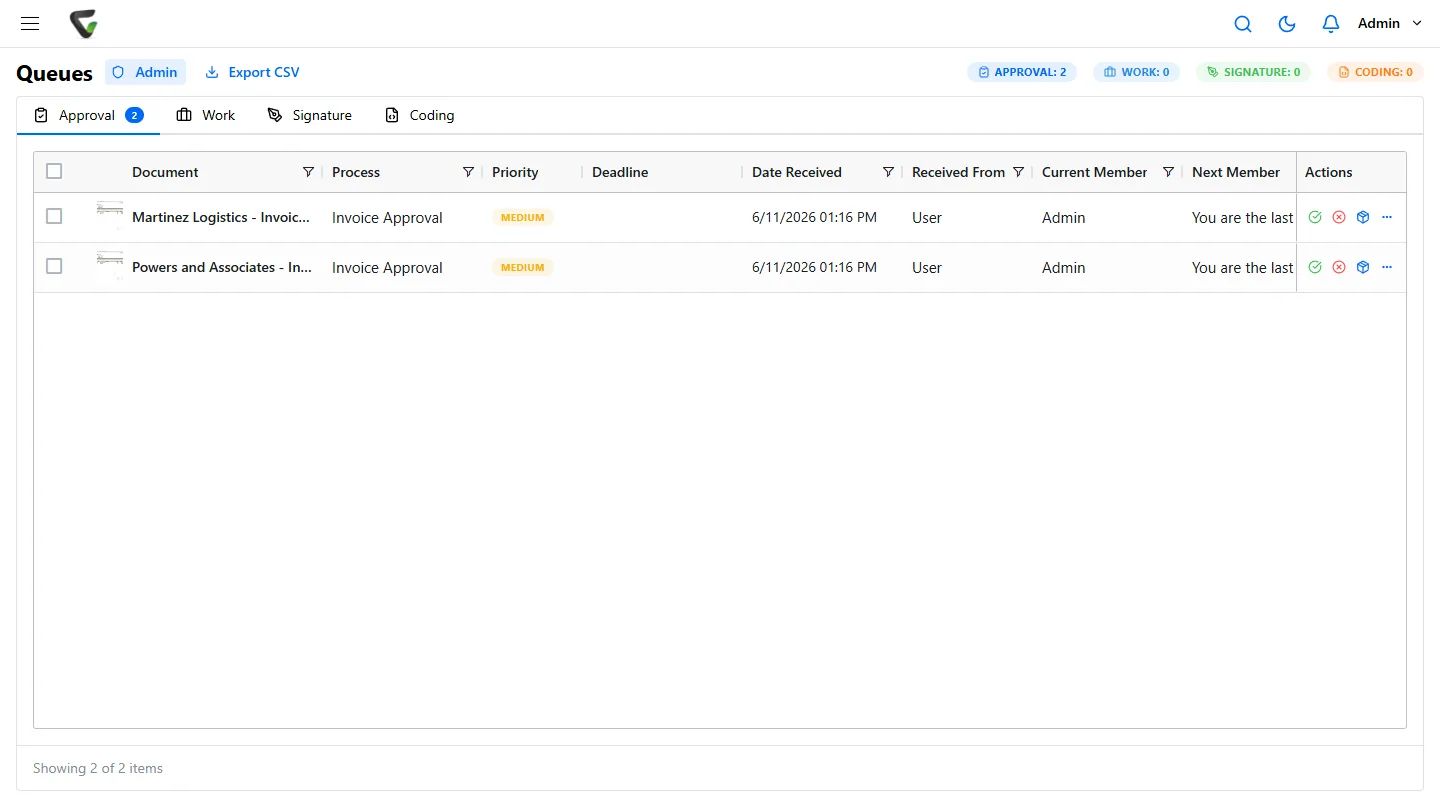
| The approval | Invoices at or over the threshold route to the controller automatically, and the approval is recorded on the document, not in an inbox |
| The timing | The document history shows the approval step with its date and time, separate from the payment record |
| Integrity | Changes create a new version; earlier versions stay available |
| The population | A search by document type and amount range lists every invoice, and the results export to a spreadsheet |
Segregation of duties lives in permissions
Auditors look for one person who can do two jobs that should be separate. In document terms, check these before the auditor does:
- The person who enters or edits a vendor invoice cannot also approve it.
- Nobody approves their own expense report.
- Only a small, named group can delete financial documents or change their retention, and those actions are logged.
- Shared logins are gone. An approval by “AP Clerk” proves nothing about who approved.
- Substitutes for approvers on leave are set in advance and visible, not done by borrowing a password.
The close file, period by period
Section 302 certifications rest on a monthly and quarterly close. Keep one file per period with the same contents every time, so anyone can tell what is missing:
- Account reconciliations with preparer and reviewer sign-off and dates.
- Journal entries over your review threshold, with support and approval.
- The close checklist and any sub-certifications from business unit and department heads.
- Management review evidence: the report reviewed, by whom, what they asked and how it was resolved.
When a matter is open
Once litigation, an investigation or an SEC inquiry is reasonably expected, normal disposal of related records must stop. In practice that means being able to put specific documents, or every document for a vendor or a period, on hold so the retention schedule cannot remove them, and being able to show later when the hold started and who placed it.
Failures auditors actually write up
- Approval evidence created after the payment, or with no date at all.
- A control matrix that says “system enforced” when the routing can be skipped.
- Incomplete populations because documents were filed inconsistently.
- Retention schedules on paper that nobody applies, or records deleted with no record of why.
- Broad delete rights in the document repository and no review of who has them.
Where Ademero fits
Content Central runs in the cloud or on your own servers, your choice. Approval workflows can route by amount, with deadlines, escalation, substitutes during absences and PIN approvals, and each step is recorded in the document’s version history. Check-out and check-in keep edits controlled, file changes create a new major version, and earlier versions can still be downloaded. Searches by document type and field values export to CSV or Excel for a sample population. Permissions are set per document type and field, sign-in can use Active Directory or SAML with MFA, the event log records sign-ins, views, downloads and deletions, and retention schedules with legal holds keep records exactly as long as your policy says. CapturePoint 6 reads invoices on your own PC, checks line-item math and sends finished documents to Content Central. Software does not make a company SOX compliant, but it can make the evidence a by-product of the work. See our compliance page.